 Cheatly guide
How to Enter Cheat Codes on PC, PlayStation, Xbox and Switch
By Muhammad Shahid Khan · · 4 min read
Quick answer
Games accept cheats in five main ways: typing letters during gameplay (classic GTA on PC), a console command opened with a key like ~, a controller button sequence entered during play or on pause, a number dialled on an in-game phone, or a cheats menu. The same cheat usually has a different input on each platform.
CheatlyOffline hints, guides & tips · Free on the App StoreDownload free →Cheat codes are one of gaming's oldest traditions, but there is no single way to enter them. The same cheat might be a word on PC, a button combo on PlayStation, and a phone number in-game. Here is how each method works.
I build Cheatly: Game Cheat Codes, a free offline cheat code app for iPhone and iPad, and the screenshots here come from it. If you want every code on your phone next to the controller, get Cheatly on the App Store.
1. Typing a code during gameplay
Used by classic PC games such as the original GTA San Andreas and Vice City. There is no text box: you type the letters while playing and a message confirms the cheat. See GTA San Andreas cheats and Vice City cheats.
2. A console command
Many PC games have a developer or cheat console. In GTA 5 you press ~ and type a code such as PAINKILLER. Other games use the console for commands with values, like setting your money or teleporting. See GTA 5 cheats for PC.
3. A controller button sequence
The standard method on PlayStation, Xbox and Nintendo consoles. You press a sequence of buttons and directions, usually during gameplay, sometimes on the pause screen. Timing matters: press each button steadily, without pausing too long between inputs.
The most famous is the Konami Code, Up, Up, Down, Down, Left, Right, Left, Right, B, A, first used in Konami's Gradius in the 1980s and made famous by Contra.
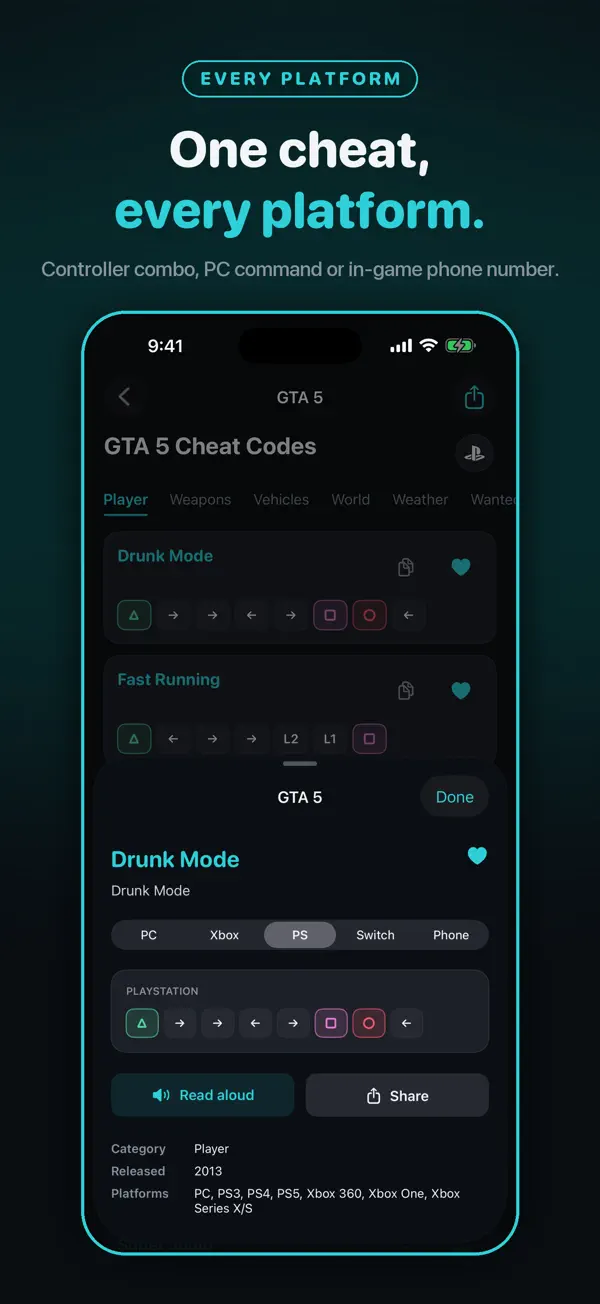
4. An in-game phone number
Some games, including GTA IV and GTA 5, let you dial a number on your character's in-game phone to activate a cheat.
5. A cheats menu or unlockable
Some games have a dedicated cheats menu, or unlock cheats as rewards. You toggle them on and off from the options screen.
Why is my cheat code not working?
- Wrong platform or version. Remasters and definitive editions often change how cheats work.
- Wrong place. Some cheats only work during gameplay, some only on the pause screen, and some not during missions.
- Typing mistakes. Long codes are easy to get wrong. Copy or read them slowly.
- Too slow or too fast on a controller sequence.
- Online mode. Single-player cheats do not work in online modes.
- Region differences. On some older games, Western and Japanese releases use different button layouts for confirm and cancel.
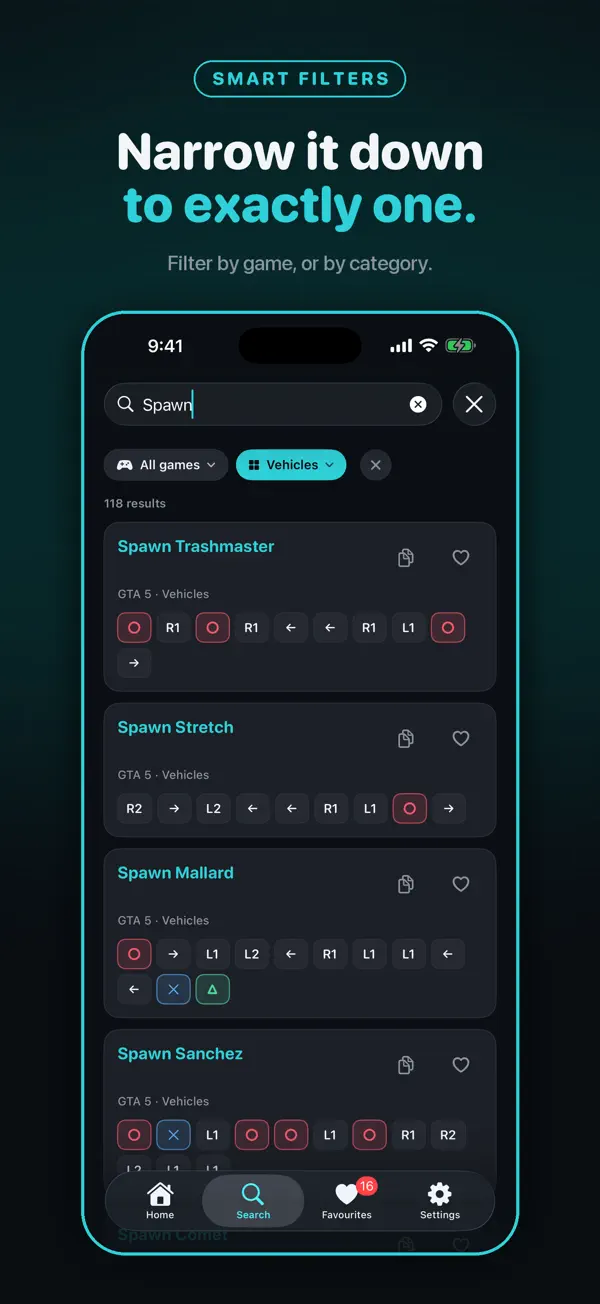
How does Cheatly show the right input?
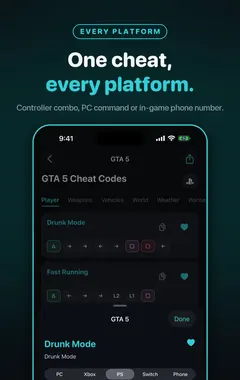
Pick your platform once, and Cheatly renders every code correctly for it:
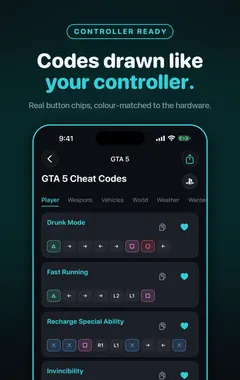
- Controller sequences as real button chips, colour-matched to the hardware.
- PC console commands as clean, copyable text.
- In-game phone numbers where a game uses them.
- A clear note when a game has no code for your platform.
Button sequences light up in order so you can read long combos at a glance, and you can have a code read aloud while your hands are on the controller.
More guides you may find useful:
- GTA 5 Cheats for PS4, PS5, Xbox One and Xbox Series X|S: Every Button Code
- GTA 5 Cheat Phone Numbers: Every Code to Dial on the In-Game Phone
- Cheat Codes vs Trainers vs Mods: What Is the Difference, and What Is Safe?
How Cheatly helps
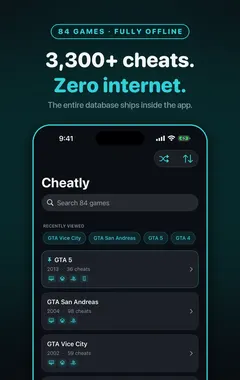
- 3,300+ single-player cheats across 84 games, all stored on your iPhone or iPad.
- Shown the way your platform enters them: PlayStation and Xbox button chips, copyable PC console text, and in-game phone numbers.
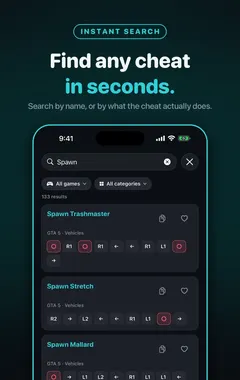
- Search by name or by effect, such as "wanted" or "helicopter", and filter by category.
- Favourites for the codes you use every session.
- Read aloud, so you can enter long combos with the controller in your hands.
- Works offline, with no account and no sign-up.
Download Cheatly free on the App Store and stop searching the web mid-game.
Frequently asked questions
How do I enter cheat codes on PlayStation?
Most PlayStation games use button sequences entered during gameplay or on the pause screen. Check the exact sequence for your game and version.
How do I enter cheat codes on Xbox?
Like PlayStation, usually as controller button sequences entered during gameplay or on pause.
How do I open the cheat console on PC?
It depends on the game. In GTA 5 it is the ~ (tilde) key. Some games need the console enabled in settings or with a launch option.
What is the Konami Code?
Up, Up, Down, Down, Left, Right, Left, Right, B, A. It first appeared in Konami’s Gradius and became famous through Contra.
Why don’t my cheat codes work?
Common reasons are the wrong version or platform, entering it in the wrong place (menu, cutscene or mission), typos, timing, or trying to use it in online mode.
Do cheats work in online games?
No. Single-player cheats do not work in online modes, and using third-party cheat tools online can get you banned.
Can I enter cheats with an in-game phone?
In some games, yes. GTA IV and GTA 5 let you dial cheat numbers on the in-game phone.
Are cheat codes different on each platform?
Often. The same cheat can be a typed word on PC, a button sequence on console and a phone number in-game.
Can Cheatly read codes aloud?
Yes. Cheatly can read a code aloud so you can enter it with your hands on the controller.
Does Cheatly cover Nintendo Switch?
Cheatly shows codes per platform and clearly notes when a game has no code for your chosen platform.
CheatlyDownload free